Set up Elyra runtime
Now it's time to set up the Elyra runtime. The Elyra runtime is a configuration that allows you to run pipelines on a remote server. In this guide, we will set up the Elyra runtime for an IDOML user with the services from the IDOML server.
Prerequisites
- An IDOML server with the necessary services deployed (idoml server and idoml jupyterhub)
- An active IDOML user account
- Personal credentials for the IDOML minio
- Personal Access token for Airflow Dag tracking git repository
Steps to set up the Elyra runtime
First, log in to the IDOML jupyterhub with your credentials. At the left sidebar, click on the "Runtime" tab, then click on the "Add new runtime" button as shown in the image below.
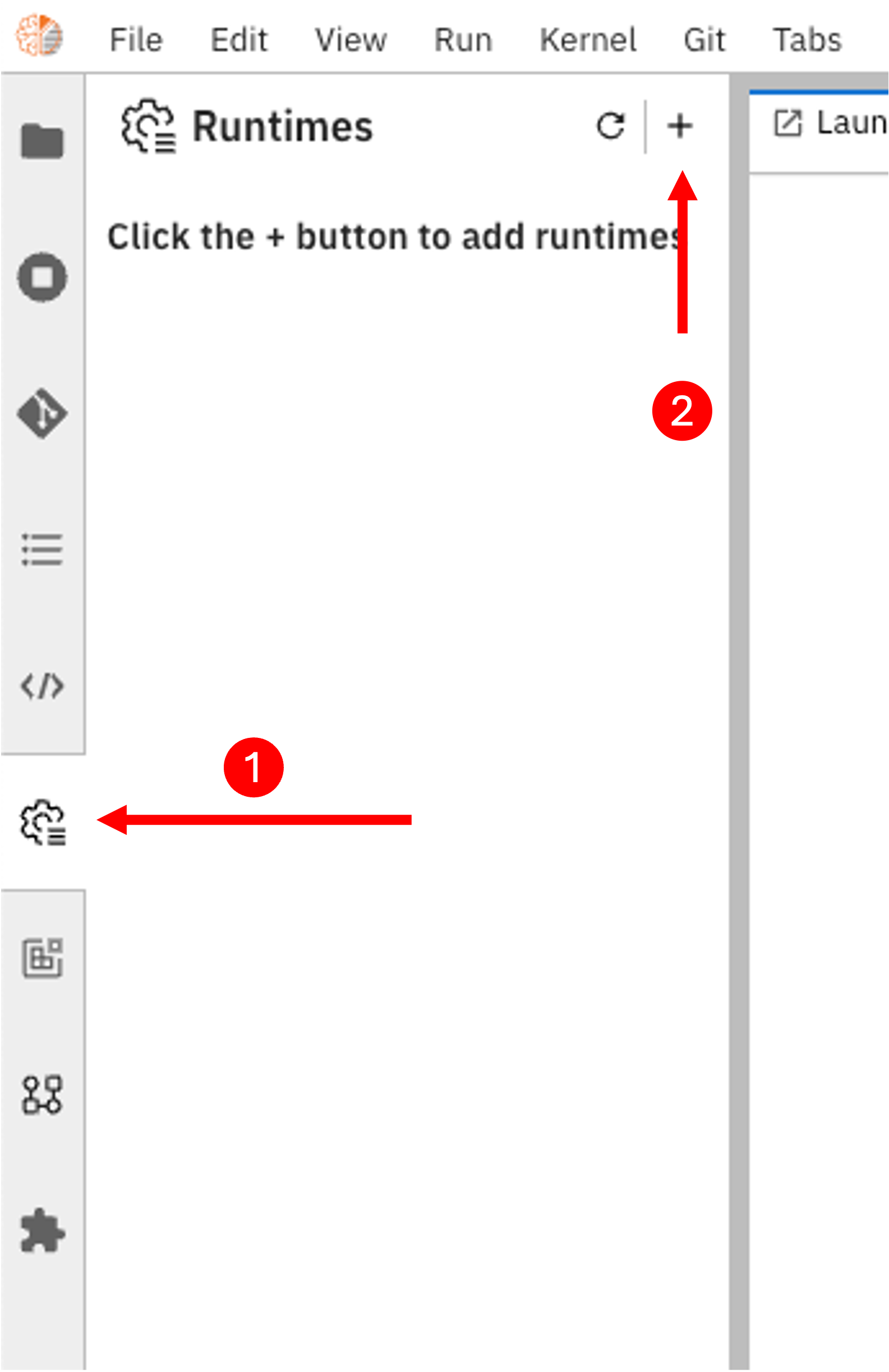
After clicking on the "Add new runtime" button, you will see a form to fill in the runtime details. Fill in the form with the following details:
- General information"
- Display Name: Enter a name for the runtime. For example, "IDOML platform runtime".
- Orchestration settings:
- IDOML Scheduler UI Endpoint: Please fill in the URL for the Airflow scheduler UI. The URL should be in the format
http://airflow.{IDOML_DOMAIN}. - Git repository setting: Please use GitHub as the git provider. Fill in the repository URL, branch name and your Personal Access token created previously. This token should have at least read and write access to the repository.
- IDOML Scheduler UI Endpoint: Please fill in the URL for the Airflow scheduler UI. The URL should be in the format
- MinIO Settings:
- Cloud Object Storage Endpoint: Please fill in the URL for the MinIO storage. The URL should be in the format
http://minio.{IDOML_DOMAIN}. - Public Cloud Object Storage Endpoint: Please fill in the URL for the MinIO storage. The URL should be in the format
http://console.minio.{IDOML_DOMAIN}. - Cloud Object Storage Bucket Name: Please fill in the bucket name for the MinIO storage. For example, "idoml".
- Cloud Object Storage Authentication Type: Please select "user_credentials" as the authentication type.
- Cloud Object Storage Credentials Secret: You can leave this field empty.
- Cloud Object Storage Username: Please fill in the your MinIO access key.
- Cloud Object Storage Password: Please fill in the your MinIO secret key.
- Cloud Object Storage Endpoint: Please fill in the URL for the MinIO storage. The URL should be in the format
Then click on the "Save & Close" button to save the runtime configuration. You can now use the Elyra runtime to run your pipelines on the IDOML platform.
For more information, please checkout the elyra documentation here.