From scratch
In this guide, we will explain how to build a pipeline using Elyra and deploy it on the IDOML platform.
Create pipeline within pipeline editor
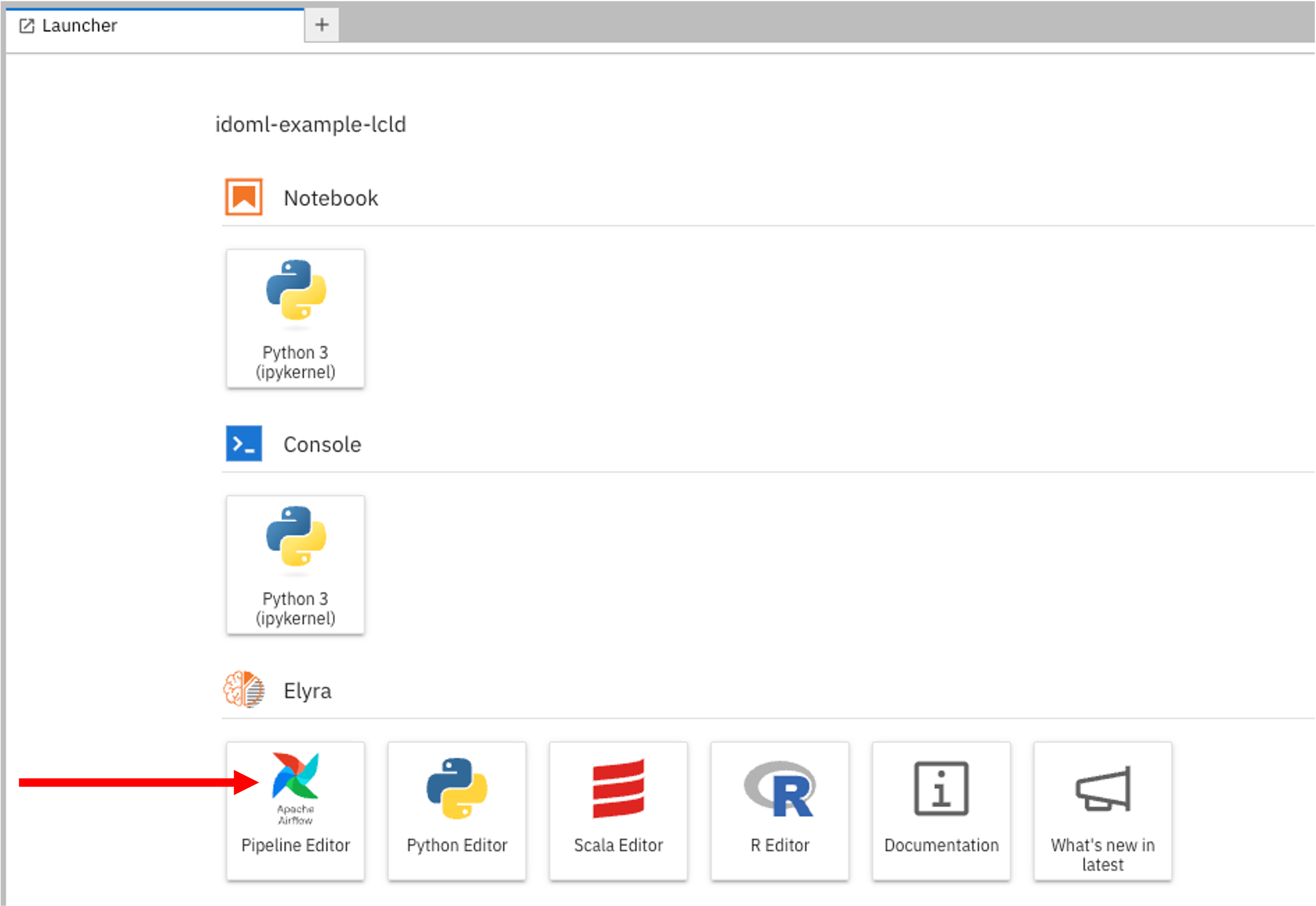
First, log in to the IDOML jupyterhub with your credentials. In the launcher, click on the Pipeline Editor with apache airflow icon to open the Elyra pipeline editor.
Note
If you don't see the launcher, you may need to click on the + icon to open the launcher.
Designe your pipeline using Elyra
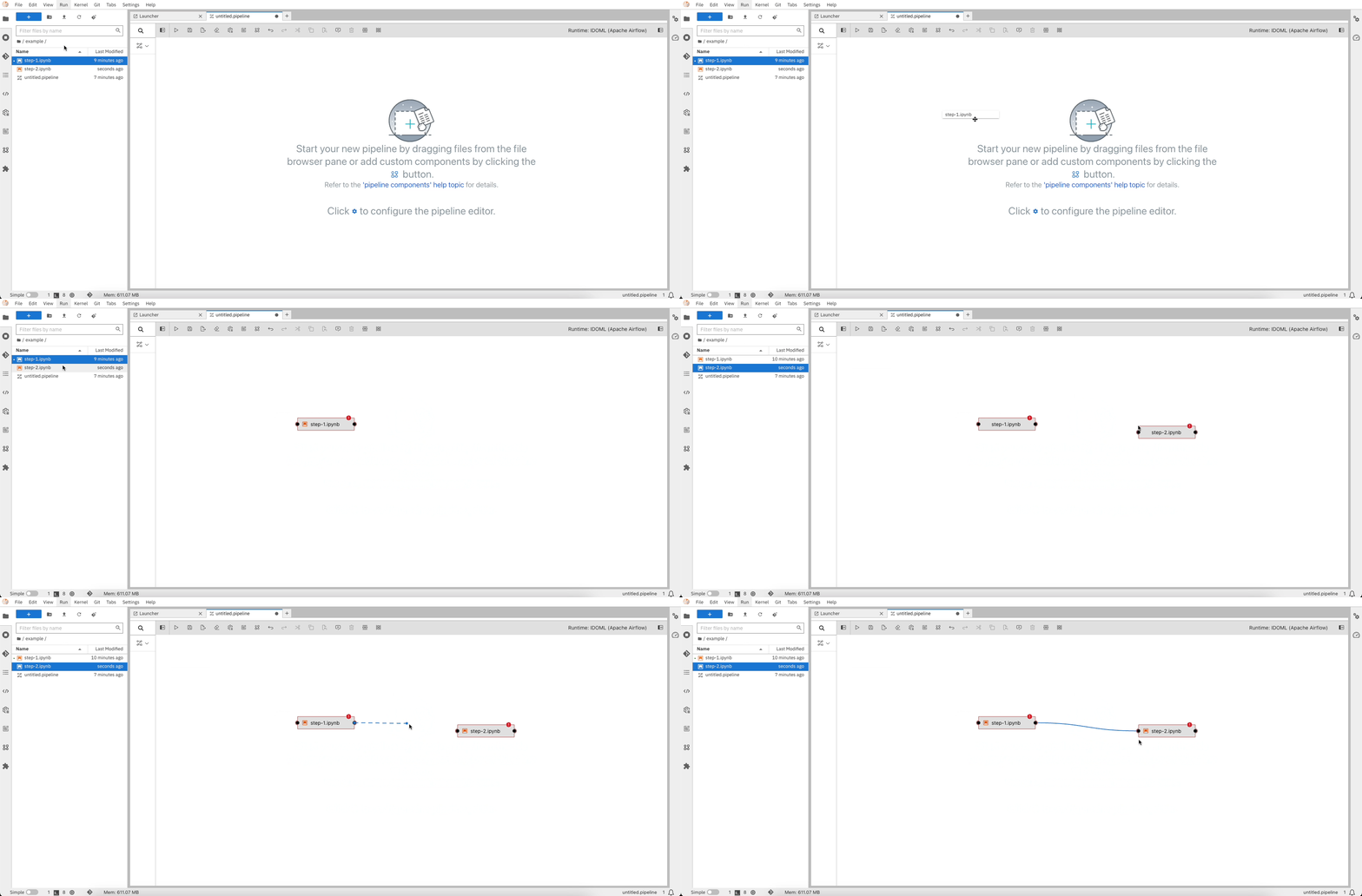
You can now start building your pipeline by dragging and dropping the nodes (i.e. your python scripts and / or your notebook files) from the palette to the canvas. You can also connect the nodes to create a workflow. As this workflow will be transformed into an Apache Airflow DAG, it should satisfy DAG (Directed Acyclic Graph) requirements, which means that the nodes should be connected in a way that there are no cycles in the graph.